FREE SHIPPING AUS WIDE IPHONE + ANDROID

Free download

The golf app that records, trims and traces your shots.

Film your round on your phone. Clippar trims each clip to the swing, draws the ball flight when it can see the ball, and makes one video of your round with your score on it.

  • Free to download
  • 14-day free trial
  • No editing
A real video from the app. No editing.

What you get

What the app does

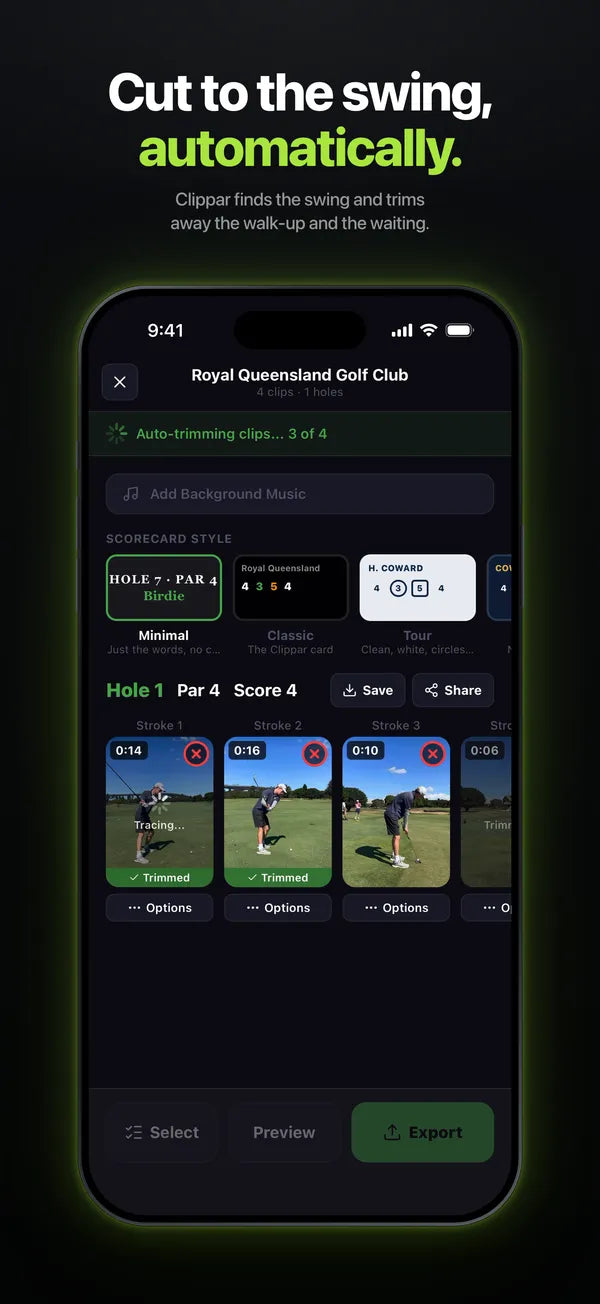
  • App Store screenshot: Cut to the swing, automatically. The round editor auto-trimming a hole of clips.
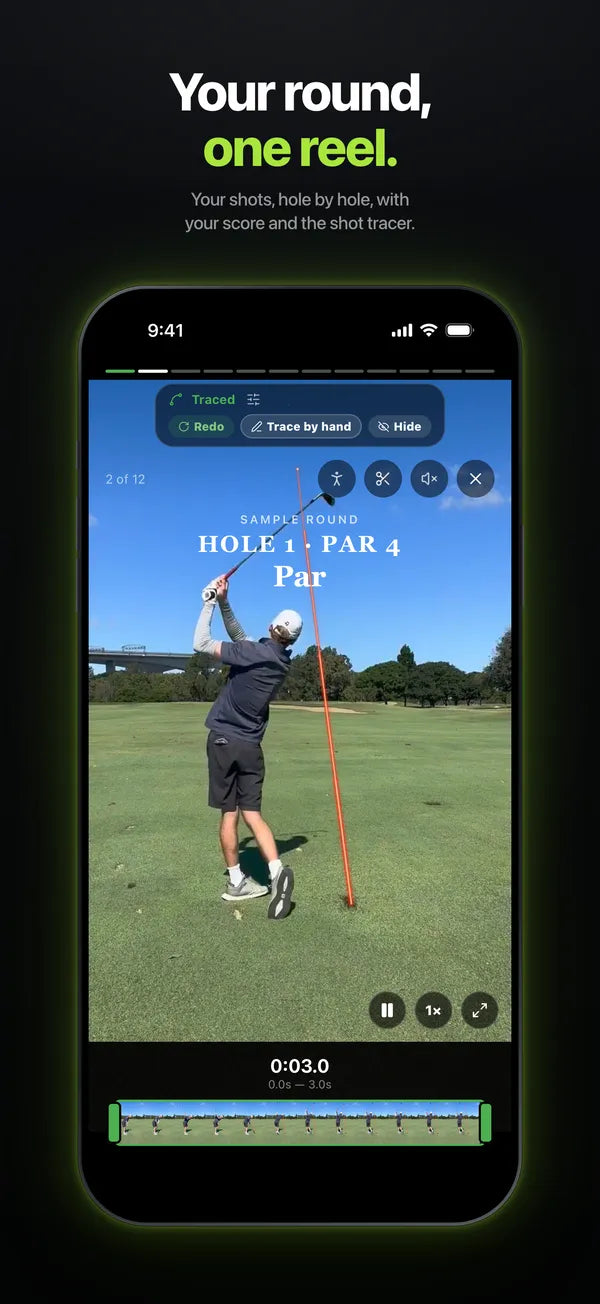
  • App Store screenshot: Your round, one reel. A traced drive with Hole 1 Par 4 on screen.
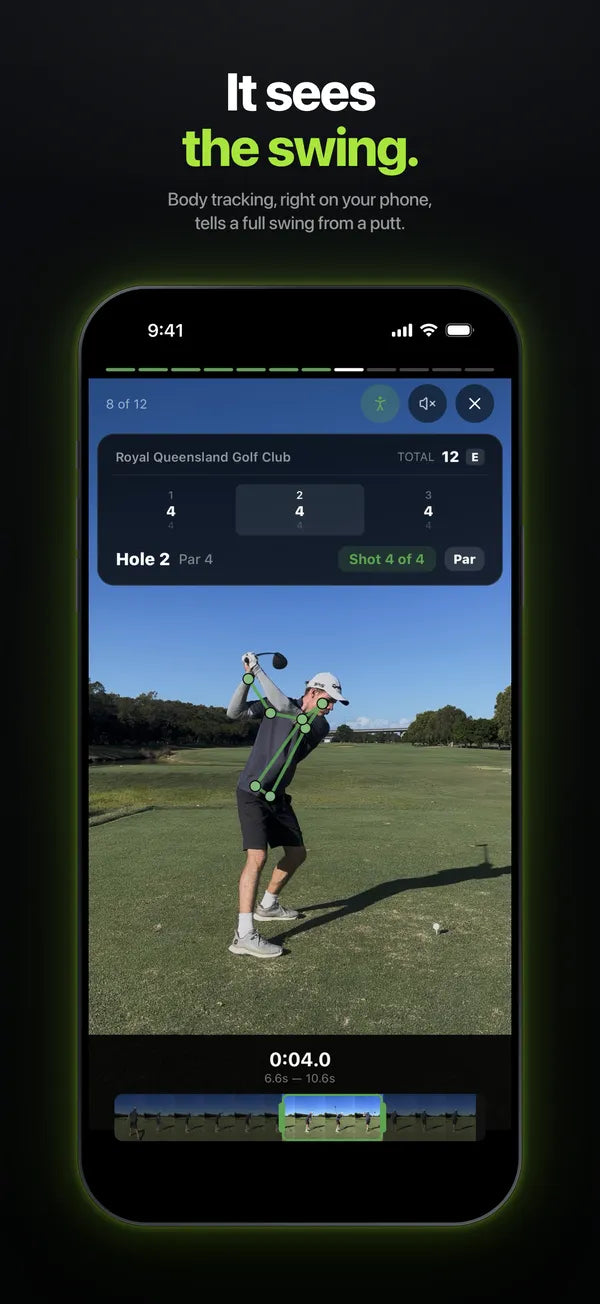
  • App Store screenshot: It sees the swing. Body tracking on a golfer mid-swing.

Free to download · iPhone and Android

  • Records your shots Record each shot on your phone as you play, with the hole and par. Or import clips you already have.
  • Trims your clips to the swing Clippar finds the swing in each recording and cuts away the walk-up and the waiting, on your phone.
  • Traces the ball flight When it can see the ball, it draws the flight on the video. When it can't, you can trace it by hand.
  • Puts your score on screen The hole, par and your score on each shot, in one of three scorecard styles.
  • Makes one video of your round Your shots in order, with music if you want it. Save it to your camera roll or share it.

How it works

How it works, in three steps

Every screen below is the real app. Swipe through each step.

Film your round

Pick the course and record your shots as you play. Already filmed some? Import them from your camera roll.

  1. The Clippar live-recording setup: a course name typed in, Royal Queensland Golf Club picked from the search results, and the Holes toggle with 9 and 18
  2. The Clippar record screen while recording a bunker shot: Hole 3 Par 4, REC, Shot 5, Clicker connected, the stop button

It trims and traces

Clippar finds the swing in each clip and cuts it down to the shot, on your phone. When it can see the ball, it draws the flight on. When it can't, it says so, and you can trace it by hand.

  1. The Clippar round editor auto-trimming a hole's clips, with Trimmed badges on the finished ones
  2. The Clippar Trim Clip screen: a 3.1 second clip kept from a 14.4 second recording, with the trim handles on the timeline
  3. A real Clippar tracer export: a driver with the ball's flight drawn as a red arc and a 240 m, apex 34 m label
  4. The Clippar Trim Clip screen saying No arc found, with Try again and Trace by hand buttons, the scorecard overlay on the clip

Get the reel

Your shots in order, with the hole and your score on screen, and music if you want it. Save it to your camera roll or send it to the group chat.

  1. A real exported Clippar reel: Royal Queensland Golf Club, Hole 1 Par 4, Bogey, with the tracer on the shot
  2. The Clippar round editor's scorecard style picker, Minimal, Classic and Tour, and Add Background Music
  3. The Clippar round page playing the round's reel with a Hole 1 Par 4 scorecard, the score summary and Save and Share
  4. The Clippar Share Round sheet: Save to Camera Roll, Share Video, Instagram Stories

For iPhone (iOS 15.1 or later) and Android. Screens from the Clippar app on iPhone, September 2026.

Backed by

  • iLab
  • The University of Queensland
  • UniQuest

Try it on your next round

Free to download · 14-day free trial from your first recording

What it costs

Free to download. 14 days free. Then a subscription.

  1. 1

    Download

    Free to download

    From the App Store or Google Play.

  2. 2

    Free trial

    14 days

    Your first recording starts a 14-day free trial of Clippar Pro.

  3. 3

    Clippar Pro, after the trial

    A$14.99 a month

    or A$99.99 a year. Cancel in your phone's subscription settings.

Optional: the Clippar kit

A$109 · free standard shipping in Australia

A phone mount for your bag, a Bluetooth clicker and a power bank, so you can film without holding the phone. Comes with 3 months of Clippar Pro. You do not need it to use the app.

See the kit →

Free to download · 14-day free trial

Questions

Before you download

Do I need the kit?

No. The app works on its own: record your shots on your phone, or import clips you have already filmed. The kit is for filming hands-free.

When does the free trial start, and what happens after it?

The trial starts with your first recording, not when you download. It lasts 14 days. After that, Clippar Pro is a subscription, paid through the App Store or Google Play. You can cancel in your phone's subscription settings.

Is there an Android version?

Yes. Clippar is on Google Play for Android phones, and on the App Store for iPhone (iOS 15.1 or later).

Does the shot tracer work on every shot?

No. It draws the ball flight when it can see the ball. When it can't, it tells you, and you can trace the shot by hand.

Can I use clips I have already filmed?

Yes. Import them from your camera roll and Clippar trims them the same way.

Will it fix my swing?

No. Clippar does not give swing tips. It films, trims and puts your shots into a video.

Free to download · iPhone and Android

Download Clippar

Film your next round on your phone and get one video of it, cut down to the swings. No editing.

Free to download · 14-day free trial from your first recording