FREE SHIPPING AUS WIDE IPHONE + ANDROID
Golf content creator equipment

Golf content creator kit.
No camera operator.

A one-person setup: a phone holder for the bag or buggy, a Bluetooth clicker on your belt, and an iPhone app that trims each clip to the swing and traces it when it can pick the ball up. Save to your camera roll and edit however you like.
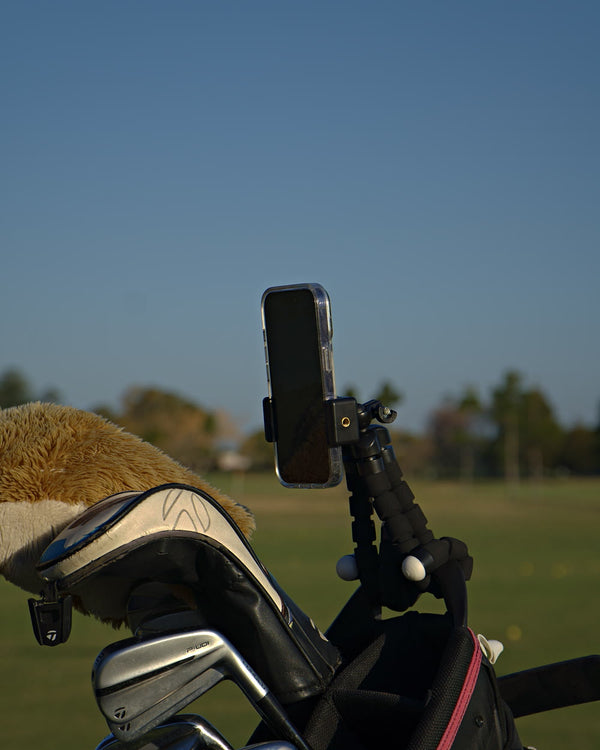
The one-person golf filming setup

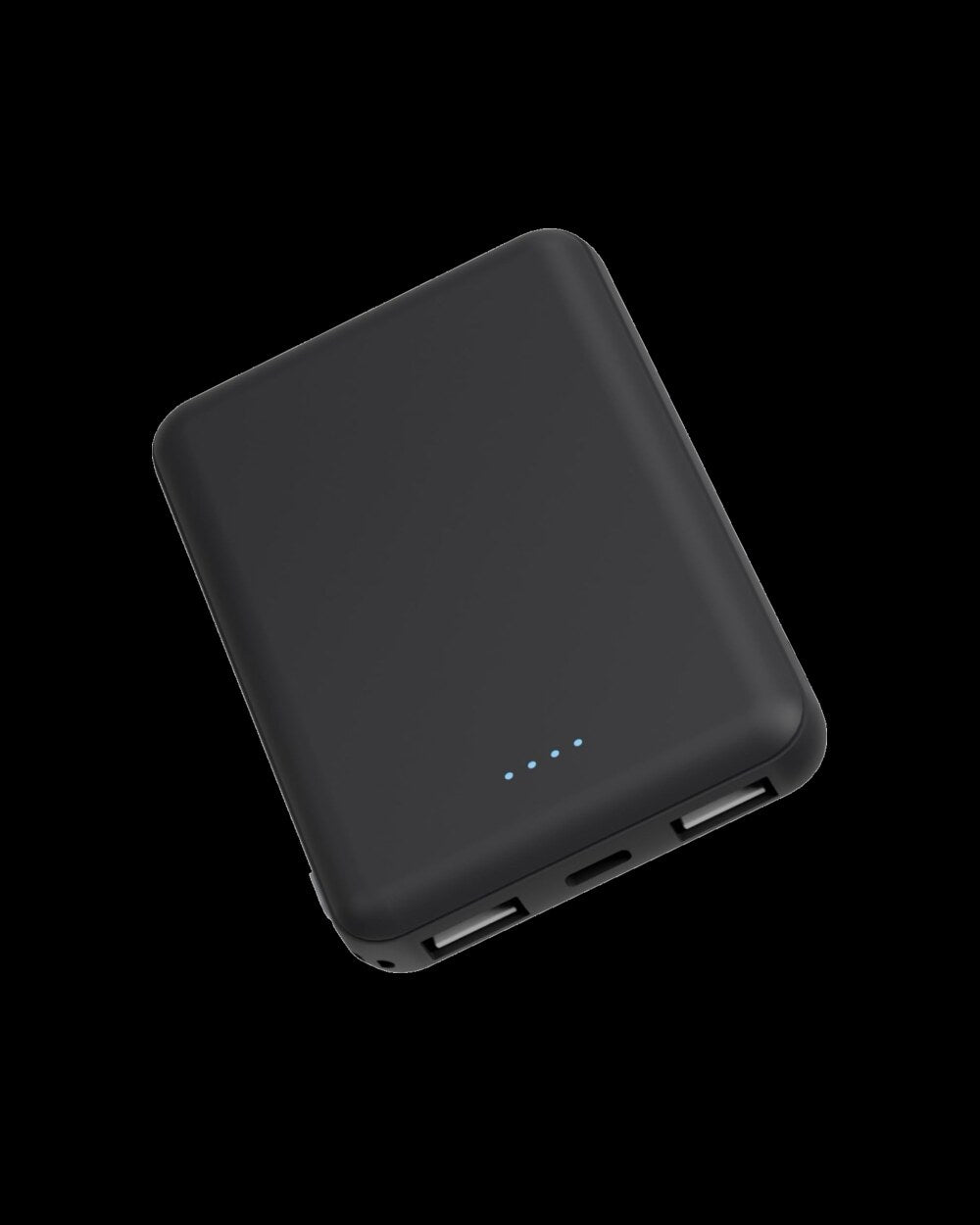
Holder, clicker, badge reel and power bank, with 3 months of Clippar Pro.

After your 3 included months, Clippar Pro is A$14.99/month or A$99.99/year through Apple, and recording needs it. Cancel any time in your Apple ID settings.

Or try the app first: 14 days free

Free standard shipping Australia-wide · Dispatched within 3 business days · iPhone (iOS 15.1+) and Android

Portrait or landscape

How to film golf content

Your mate is not a camera operator.

Most golf content is filmed one of three ways: a friend on camera duty, a ground tripod that holds up the group, or the phone running all round. The first costs favours, the second costs pace of play, and the third costs your evening.

Clippar is a fourth way. The phone goes in a holder on your bag or buggy, you press a clicker before and after each shot, and the app trims to the swing on the phone.

The usual setupWith Clippar
A mate holding the phone
A holder on the bag and a clicker on your belt
A ground tripod on each tee
Nothing to set down between shots
Scrubbing footage at night
Clips trimmed to the swing on the phone
Tracer added in another app
Shot tracer built in, when it can pick the ball up

The setup

Rig it, frame it, click it.

  1. 01

    Rig it on the bag.

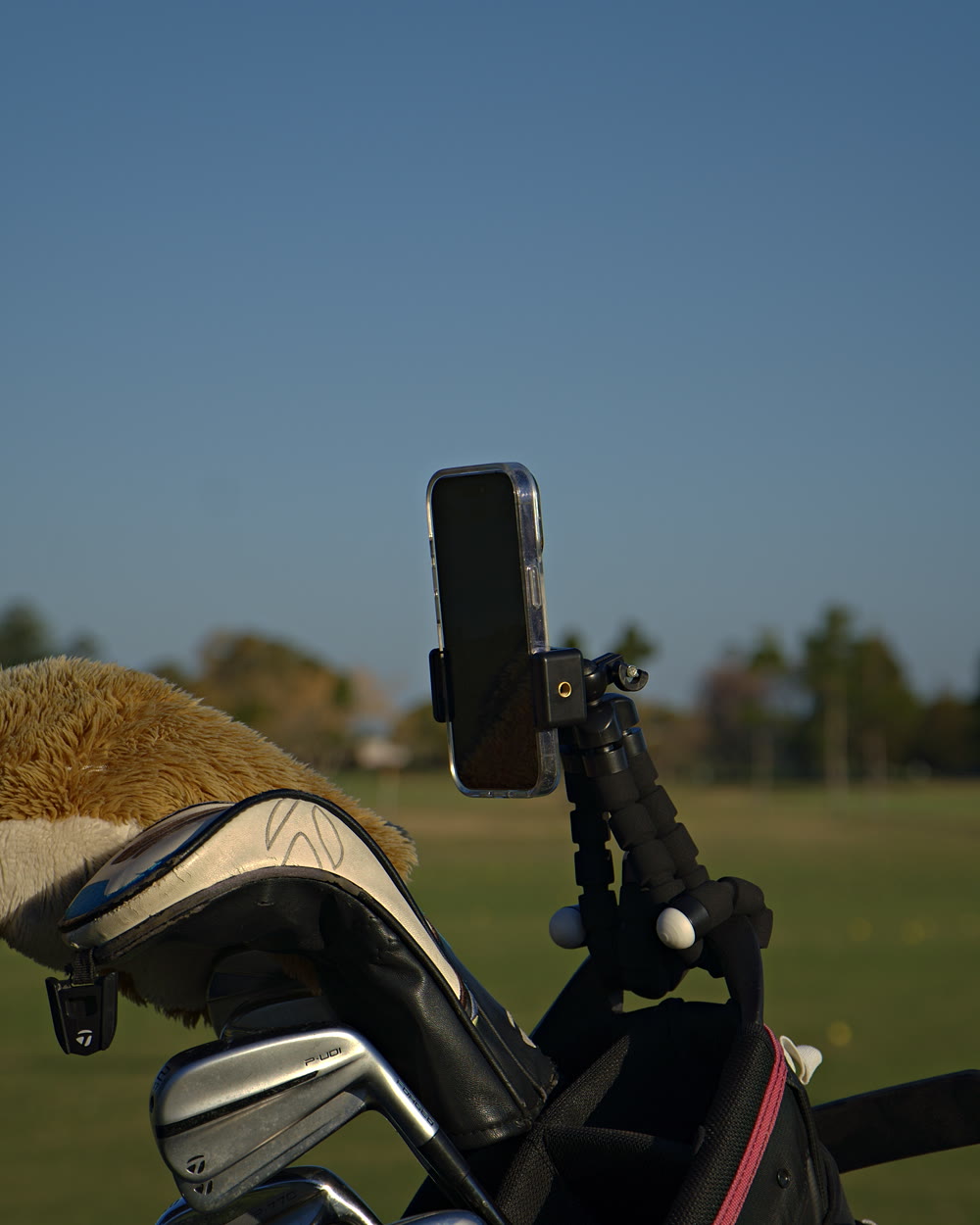
    Bendable legs round a bag strap or buggy rail. It holds the angle between holes.

  2. Frame it portrait or landscape.
    02

    Frame it portrait or landscape.

    The clamp takes your iPhone either way, so you choose the format before you hit.

  3. Click from where you hit.
    03

    Click from where you hit.

    Start and stop from your belt, up to 20m from the phone.

The edit afterwards

Out of the app and into your editor.

Clippar does the tedious part, finding and trimming the swing, then gets out of the way.

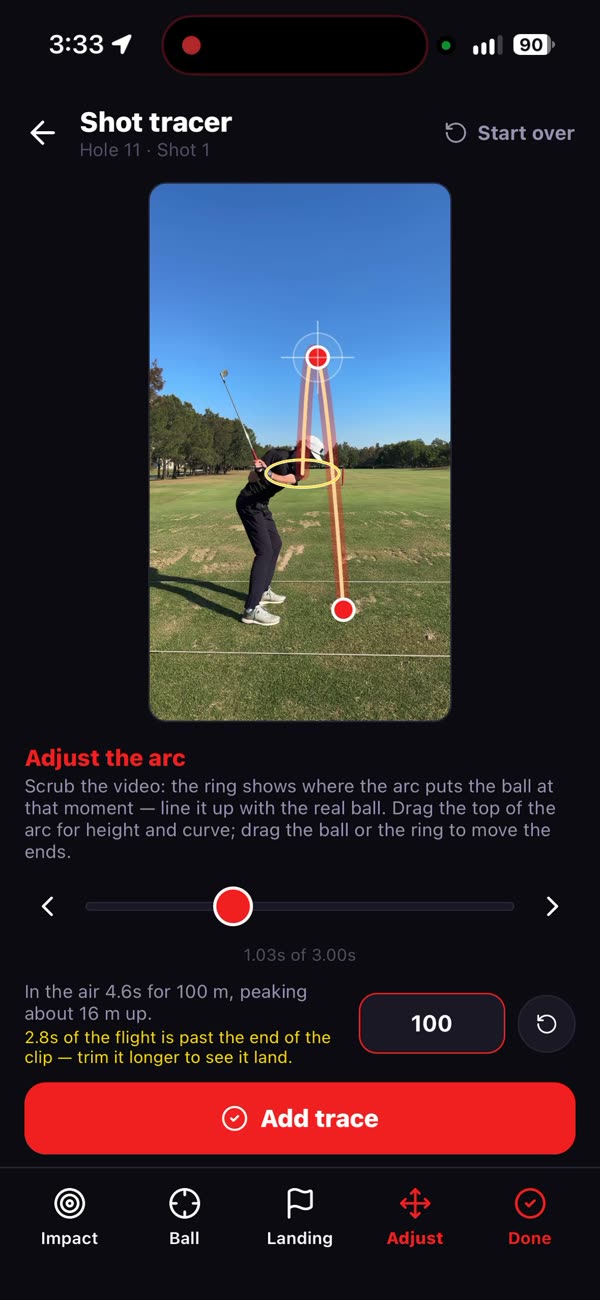
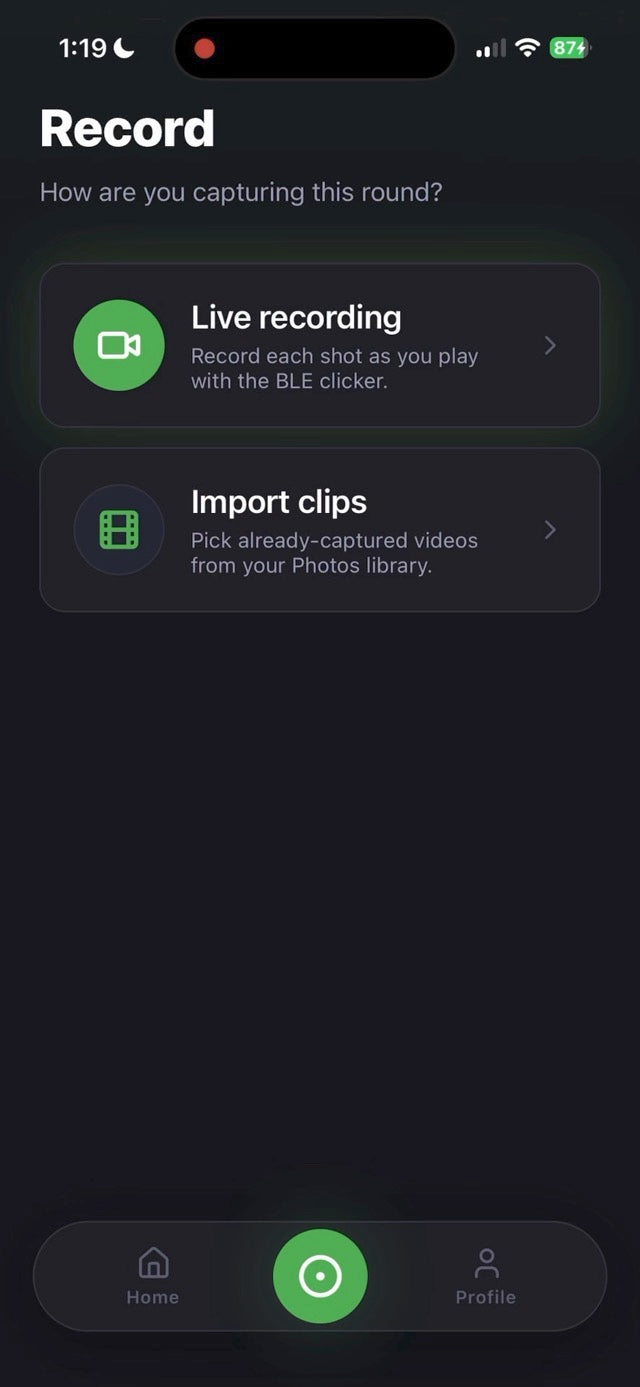
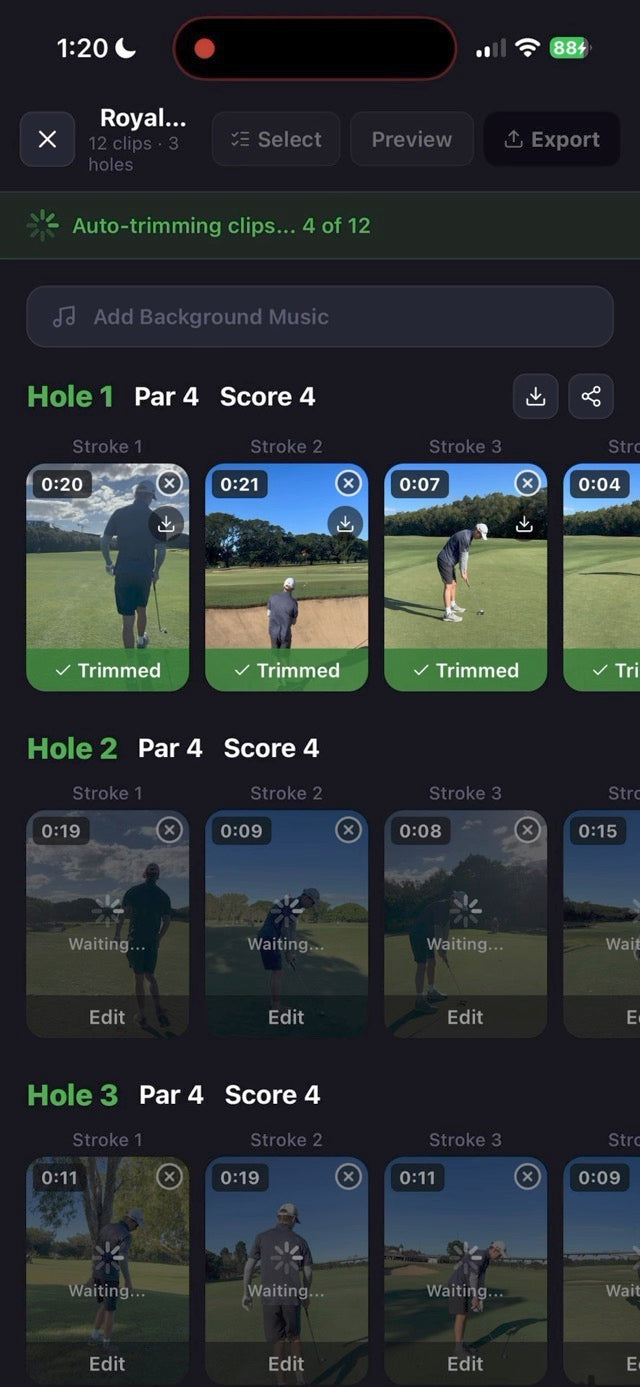
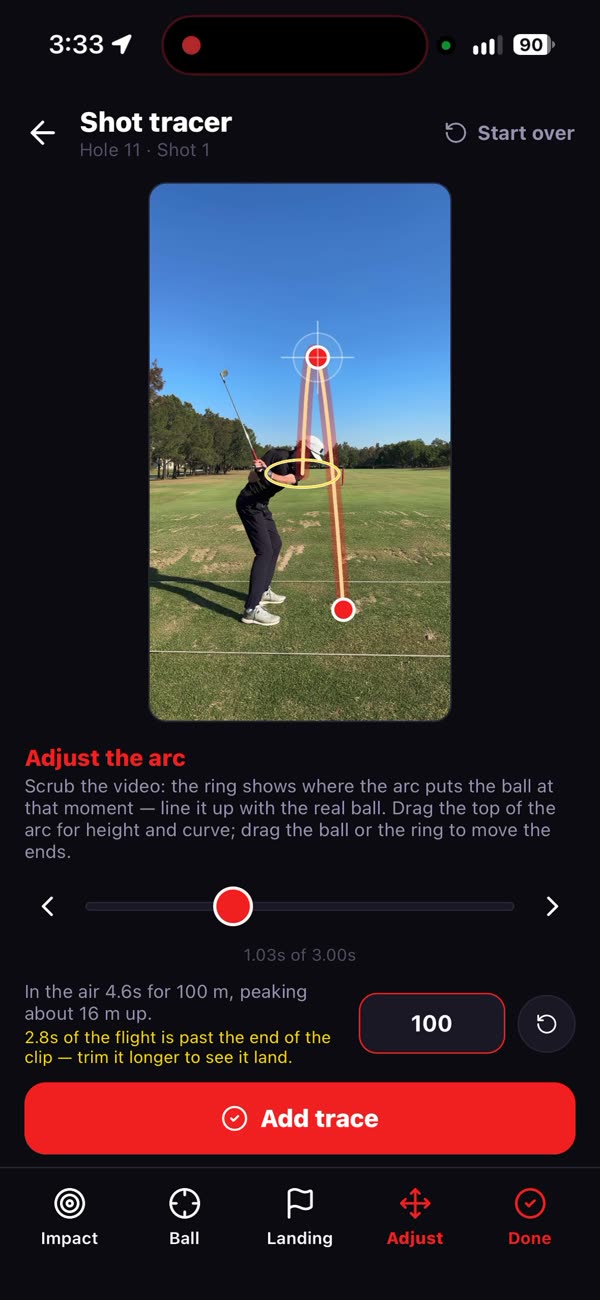
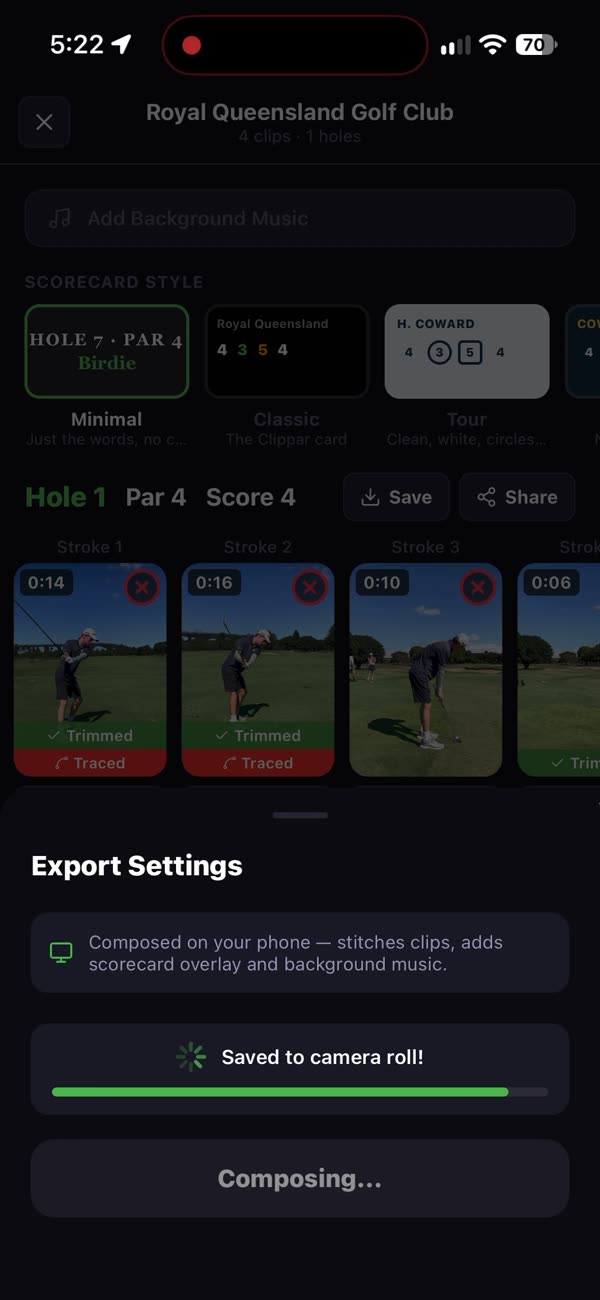
Clippar's record or import screenClippar auto-trimming clipsDrawing a trace by hand in ClipparExporting from Clippar
01 / 04

Import what you've got

Clips already on your camera roll.
  • Trimmed and traced the same way
  • Or record live with the clicker
02 / 04

Pre-trimmed

The swing, without the walk-up.
  • Adjust any trim
  • Done on the phone
03 / 04

Traces you can fix

Draw the arc when the tracer can't.
  • Confirm the ball
  • Shape the flight
  • Mark where it finished
04 / 04

Export

Save shots or the round to your camera roll.
  • Single shots or the reel
  • Then CapCut, or whatever you use

Built-in tracer

Shot tracer, without another app.

Full swings get the ball flight drawn on when Clippar can pick the ball up. Filmed on the kit, traced on the phone, ready to post.

When it can't see the ball, the shot stays as filmed and you can trace it by hand.

The rig

Four things, no crew.

Everything a one-person golf shoot needs except the phone.

01 / 04

Phone holder

Holds the angle between holes.
  • Bendable tripod legs
  • Portrait or landscape
02 / 04

Bluetooth clicker

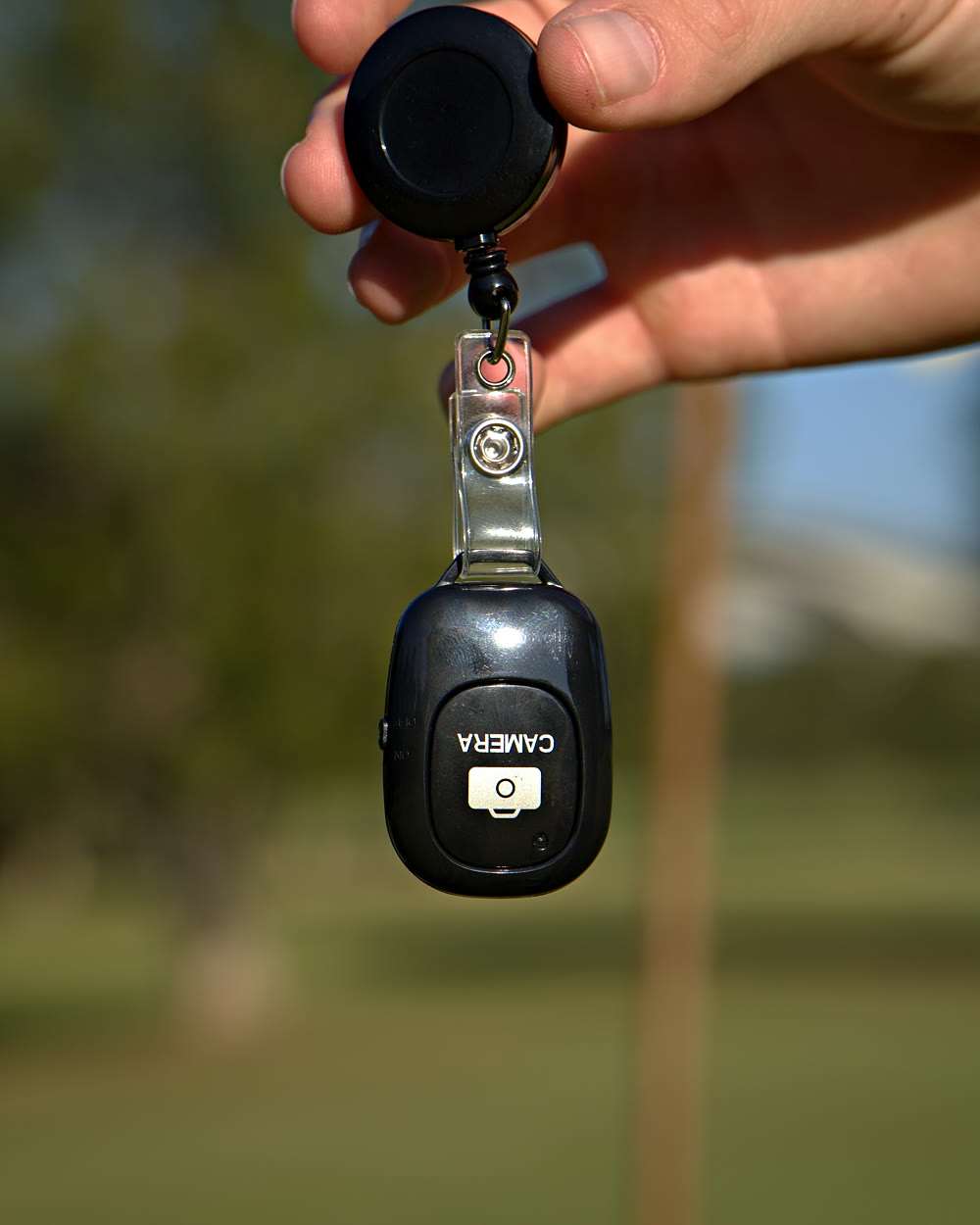
Your remote shutter.
  • 20m range
  • USB-C rechargeable
03 / 04

Badge reel

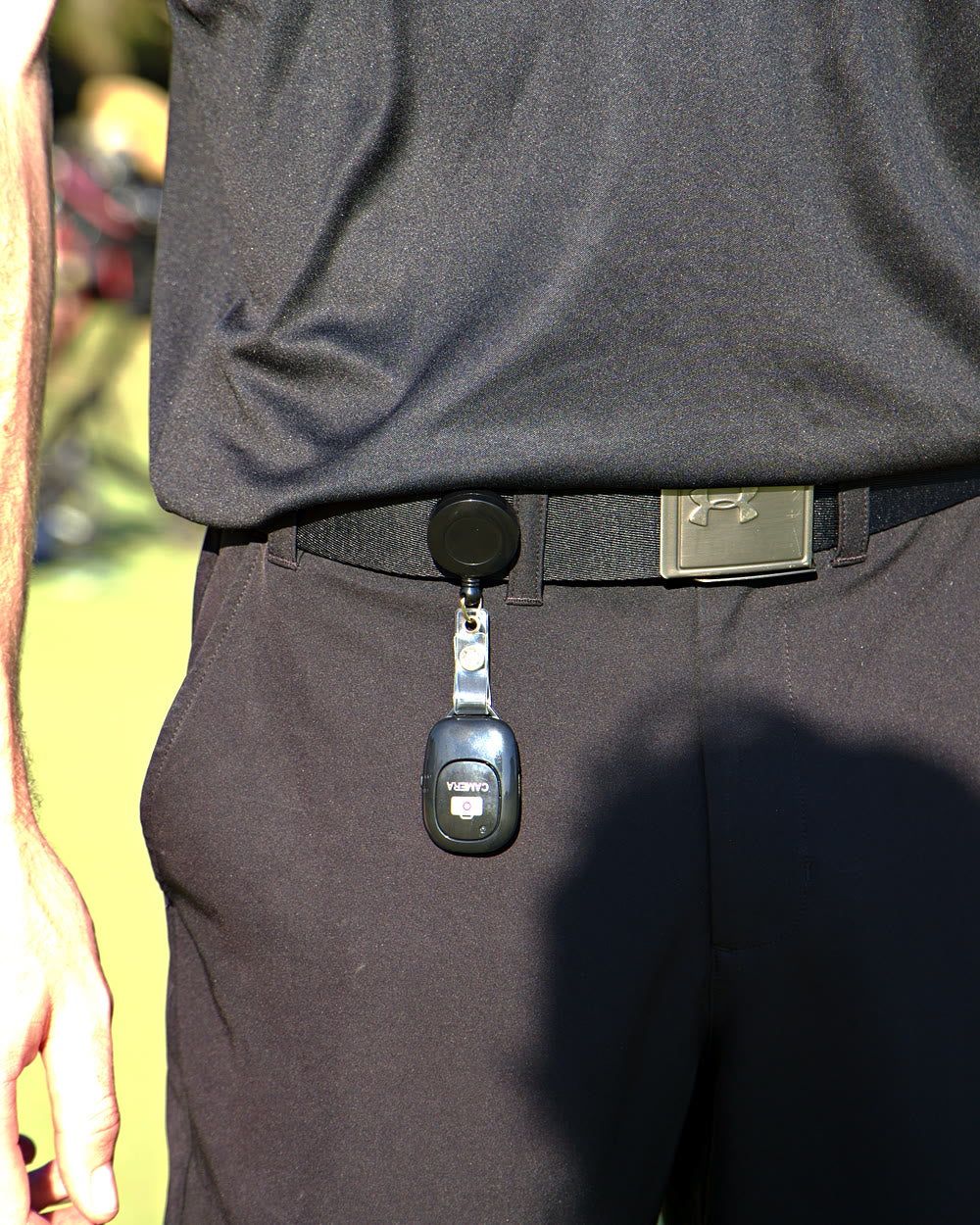
Remote on your belt, not in the bag.
  • Retractable
  • Belt clip
04 / 04

Power bank

Filming eats battery.
  • 5,000mAh
  • Fits a bag pocket
The Clippar phone holder's bendable legs wrapped round a golf bag, iPhone clamped on topThe Clippar Bluetooth clicker on its retractable badge reel, held on the courseThe Clippar clicker on a retractable badge reel clipped to a golfer's beltThe slim 5,000mAh power bank from the Clippar kit

Film more, scrub less. Holder, clicker, power bank and 3 months of Pro.

Already have a mount? Try the app free for 14 days

Clippar is free to download. Recording needs Clippar Pro, and your first recording starts a 14-day free trial. iPhone, iOS 15.1 or later.

Golf content creator questions

For people who post their golf.

What equipment do I need to film golf content on my own?

A phone, something that holds it on your bag or buggy, a remote so you can start and stop recording from where you hit, and battery. The Clippar kit is everything but the phone.

Can I edit Clippar clips in CapCut or another editor?

Yes. Save single shots or the round to your camera roll and take them anywhere.

Can I film vertical video for TikTok and Reels?

The clamp holds your iPhone portrait or landscape, so you choose the framing.

Does the shot tracer work on clips I didn't film with Clippar?

Yes. Import clips from your camera roll and Clippar trims and traces them the same way, when it can pick the ball up.

Does it work on Android?

Yes. It's on Google Play for Android, and on the App Store for iPhone (iOS 15.1 or later).

I make golf content. Can I ask about the kit?

What camera do golf YouTubers use?

The big channels use mirrorless cameras and someone to point them. Most everyone else uses a phone on a tripod. A current iPhone films golf well enough for YouTube and TikTok; the hard part is having it pointed at you and recording at the right moment, which is what the holder and clicker are for.

What do golf YouTubers use for shot tracking?

For the tracer line on screen, a shot tracer app or an editor that draws it, and sometimes a launch monitor for the numbers. Clippar has a tracer built in: it draws the flight on full swings when it can pick the ball up, and you can draw it by hand when it can't.

Film more.
Edit less.

The one-person golf filming setup.
Free standard shipping Australia-wide.

Or download Clippar and try it free for 14 days